Best Shopify SEO Apps: What Each One Does, and When You Need None
Shopify already handles a lot of technical SEO. This guide shows what it covers, nine SEO apps that are live on the App Store today, and which job each one is actually good for.

Most Shopify stores do not need a pile of SEO apps. Shopify already outputs the basics, and an app is only worth paying for when it saves you real time on a specific job: bulk meta tags, image alt text, redirects or extra structured data. This guide shows what Shopify does without an app, nine apps worth a look (each checked on its own App Store listing), and the jobs no app can do for you.
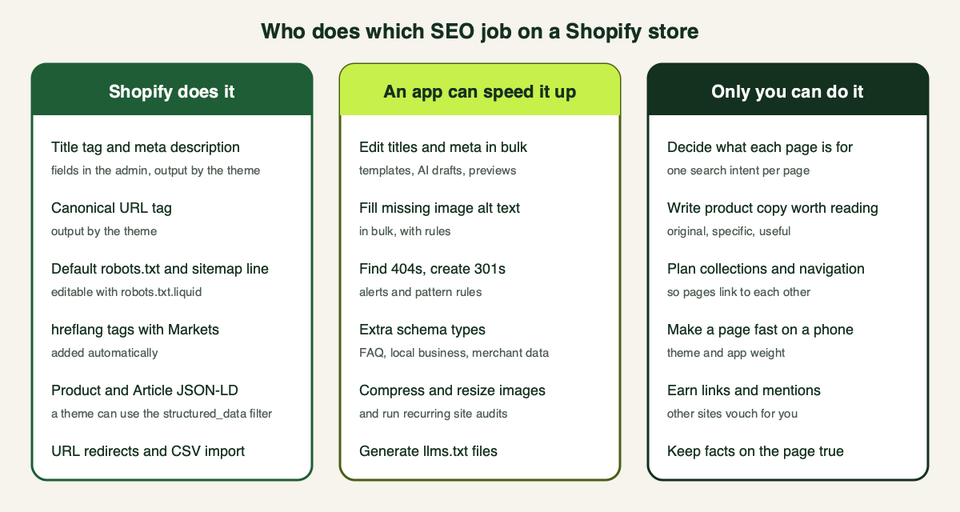
What Shopify already does before you install anything
An app should fill a gap. So first, here is what the platform covers. This list comes from Shopify's developer documentation, which we. Shopify's Help Center blocked our automated check on the day, so where we could not confirm a click path in the admin, we leave it out.
- Titles and meta descriptions. Themes output the page title and meta description in the page head. For most pages you set these in the Shopify admin, and the theme reads them through the
page_titleandpage_descriptionobjects (metadata docs). - Canonical URLs. Themes can output a canonical link tag with the
canonical_urlobject, which helps when the same product is reachable by more than one URL (same docs). - robots.txt and the sitemap line. Shopify generates a default
robots.txtthat works for most shops. If you add arobots.txt.liquidtemplate, it replaces the generated file, and Shopify tells you to save a copy of your current output and compare before you publish (robots.txt docs). The default groups include a sitemap line that points to/sitemap.xml(sitemap object). - hreflang tags. If you use Shopify Markets, Shopify adds these automatically. Shopify warns that adding your own on top can create duplicate or conflicting tags that hurt ranking (hreflang docs).
- Structured data. Shopify gives themes a
structured_datafilter. It turns a product into schema.orgProduct(orProductGroupif it has variants) and an article intoArticle(filter docs). Whether your theme uses it is a different question, so check your page source. - Redirects. Shopify keeps URL redirects for the online store, and its API supports importing them from a CSV file (redirect import docs). The API also has an option to redirect a product's old handle to its new one when you change the URL (product input docs).
- Image alt text. Every image object carries an
altvalue your theme can print (image object). Writing that text is still your job, or an app's.
So a store with a decent theme, sensible titles and a clean URL structure is already in good technical shape. Google's own starter guide says there are no secrets that will automatically rank a site first, and that following the basics makes it easier for search engines to crawl and understand your content (SEO starter guide).
What an app is actually for
Apps earn their fee in four places:
- Bulk work. Rewriting meta titles or alt text on hundreds of products by hand is slow. A tool with templates and previews makes it a one-afternoon job.
- Redirects at scale. After a migration or a big URL change, you may need to map hundreds of old URLs. Shopify can import a CSV, but a manager app also finds 404s for you.
- Extra schema types. If your theme only outputs basic product data, an app can add review, FAQ or local business markup. This is also where apps can go wrong, so more on that below.
- Image weight and audits. Compressing images and running regular checks are chores that suit automation. Our image resizing guide covers the image side in more detail.
What an app cannot do is decide what your pages should say. We come back to that in the honest section below.
Nine Shopify SEO apps, checked on their listings
We opened each listing and took the feature claims from the developer's own text. We did not install these on a client store for this article, so nothing below is a speed or ranking test. Ratings and prices change often, so we leave them out. Check the current listing before you decide.
Yoast SEO: Store optimization
Yoast SEO for Shopify brings the guidance style people know from the WordPress plugin. The listing describes AI-powered title and meta description suggestions in the product editor, structured data output for products, technical SEO and llms.txt generation, and an overview page that shows which products need work. A higher tier adds AI visibility analysis for your brand. The listing offers a free trial, and the language shown is English.
Pick this if you want a guided checklist for a small catalogue and you like the Yoast approach. Watch for: some recent merchant reviews on the listing describe changes to theme code and one describes lost theme settings after an update. The developer replied to those reviews. That is a reason to test on a duplicate theme first, not a verdict.
Smart SEO AI & Image Optimizer
Smart SEO is a wide tool. The listing covers AI-written meta tags and alt text, image optimisation, JSON-LD, broken link detection, IndexNow, noindex tags and sitemap control, plus an "LLM Catalog" and an MCP server aimed at AI assistants. It has a free plan and a free trial on the listing, and several features, such as JSON-LD and bulk tag edits, sit on the paid plans.
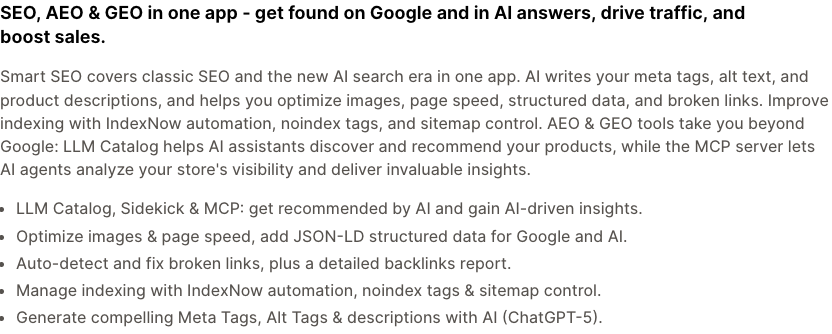
Pick this if you want one app that covers meta, alt text, broken links and indexing, and you will read what it generates. Watch for: "AI writes your meta tags" still needs a human pass, and a long feature list means more things touching your theme.
BOOSTER AI SEO + AEO Optimizer
Booster is built around automation. The listing says it scans your store, fixes issues in the background, detects and fixes broken links, keeps meta tags updated, compresses images and offers rich snippets and an automated sitemap submission on paid plans. A free plan exists, with alt text and broken link detection on it.
Pick this if you want a hands-off "autopilot" and accept that it changes things on its own. Watch for: a few recent reviews on the listing say it did not suit stores with multiple Shopify Markets, and one says code stayed behind after uninstalling. The developer replied. If you use Markets, ask support in writing how titles and tags are handled per market before you install.
StoreSEO
StoreSEO puts the safe-edit idea first: the listing says you can preview meta titles and descriptions before you publish. It also lists bulk alt text, image compression and resizing, JSON-LD and FAQ schema, sitemap and llms.txt tools, Search Console and Analytics connections, and a connector so Claude or ChatGPT can make changes through MCP. The free plan is limited by product and image counts, so read the limits.
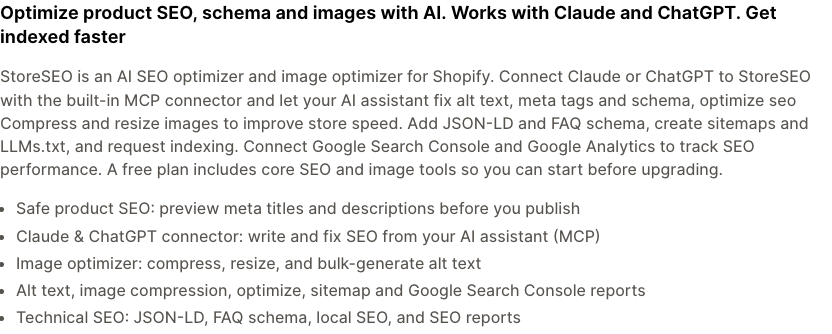
Pick this if you want previews before anything goes live. Watch for: letting an AI assistant edit your store through a connector is powerful. Start with a few products and review every change.
Tiny SEO Speed Image Optimizer (formerly TinyIMG)
Tiny SEO started as an image tool and has grown. The listing covers image compression and resizing, alt text and file names, lazy loading, JS and CSS minification, JSON-LD, broken link detection with 301 redirects, IndexNow and an AI blog builder. A free plan is available.
Pick this if images and page weight are your main problem and you want some SEO tools alongside. Watch for: minification and script changes can affect how your theme and other apps behave, so test the key pages after each switch. Our theme performance guide explains how to measure before and after.
Schema Plus: AI & SEO JSON-LD
Schema Plus does one thing: structured data. The listing mentions Product, Review, Merchant Listing, FAQ, Local Business, Video and Recipe types, compatibility with several review apps, and fixing missing or conflicting markup that Search Console flags. Which schema types you get depends on the plan. There is a free trial.
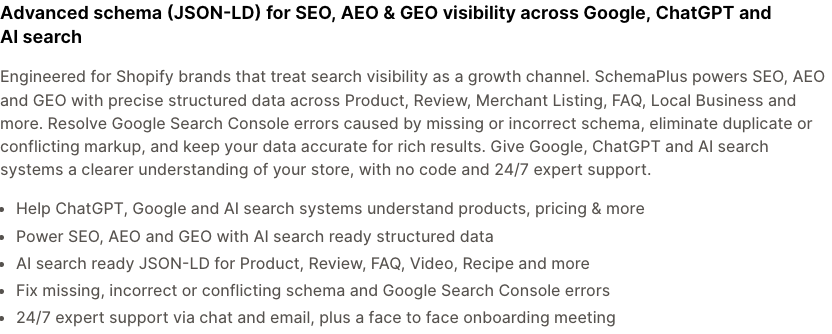
Pick this if Search Console reports product or review markup errors and you use a review app listed as compatible. If you run reviews, our review apps roundup is worth a look first, because some review apps already output rating markup. Watch for: two sources of Product markup on one page. Check what your theme and review app already output before you add a third.
404/301 SC Easy URL Redirects
Easy Redirects by Shop Circle is a redirect manager. The listing says it detects 404 pages, sends alerts, supports bulk import and redirect patterns, and has an "AI Redirects" feature that suggests the best replacement page with a confidence score. The free plan covers bulk redirects for broken pages; detection and alerts are on paid plans.
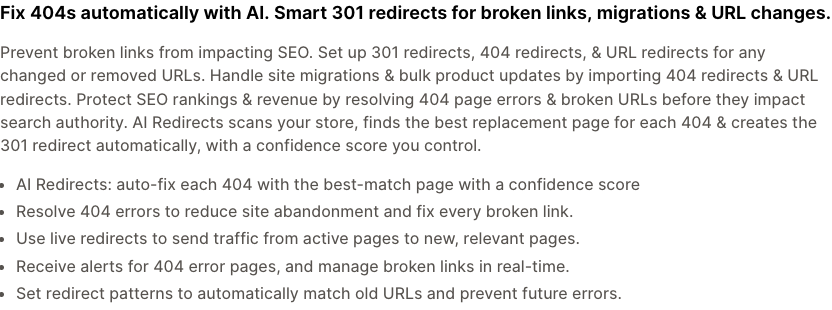
Pick this if you are moving a store or changing many URLs and want 404s found for you. Watch for: automatic matches are guesses. A redirect to a page that does not answer the old URL's intent is not much better than a 404, so review them.
404/301 URL Redirects by Nabu
Nabu's redirect app covers similar ground. The listing mentions 404 detection, a two-way sync with Shopify's own redirects, CSV import and export, and wildcard patterns. The free plan lists unlimited redirects and CSV import and export, with a small cap on wildcard or regex rules. Geo redirects by country are on the paid plan.
Pick this if you want a free redirect manager with CSV in and out and a sync with Shopify's redirect list. Watch for: country redirects can confuse search engines and shoppers if set up badly. Do not use geo redirects without a clear reason.
AltKing: AI Alt Text SEO & ADA
AltKing is a narrow, free tool for image alt text. The listing says you build alt text from variables such as product title, type, tags and variant options, and that it syncs daily so new images get alt text too.
Pick this if you have a large catalogue with empty alt fields and want a rule-based fix. Watch for: a template can produce repeated, stuffed text. Google's guidance is to describe the image and its link to the page content (starter guide). Alt text is also an accessibility feature, so read our accessibility guide before you automate it.
Comparison at a glance
| App | Best for | Free option on listing | Check before installing |
|---|---|---|---|
| Yoast SEO | Guided checklist, AI title and meta suggestions | Free trial | Test on a duplicate theme |
| Smart SEO | All-round bulk meta, alt text, broken links | Free plan | Many features sit on paid plans |
| Booster | Automatic background fixes | Free plan | Markets setups, uninstall clean-up |
| StoreSEO | Preview-first meta and schema edits | Free plan | Product and image limits |
| Tiny SEO | Images and speed, plus some SEO | Free plan | Script and minify side effects |
| Schema Plus | Structured data only | Free trial | Duplicate markup |
| Easy Redirects | 404 detection and redirects | Free plan | Review automatic matches |
| Nabu Redirects | Free redirect manager with CSV | Free plan | Geo redirects |
| AltKing | Rule-based alt text | Free | Repetitive text |
How to choose
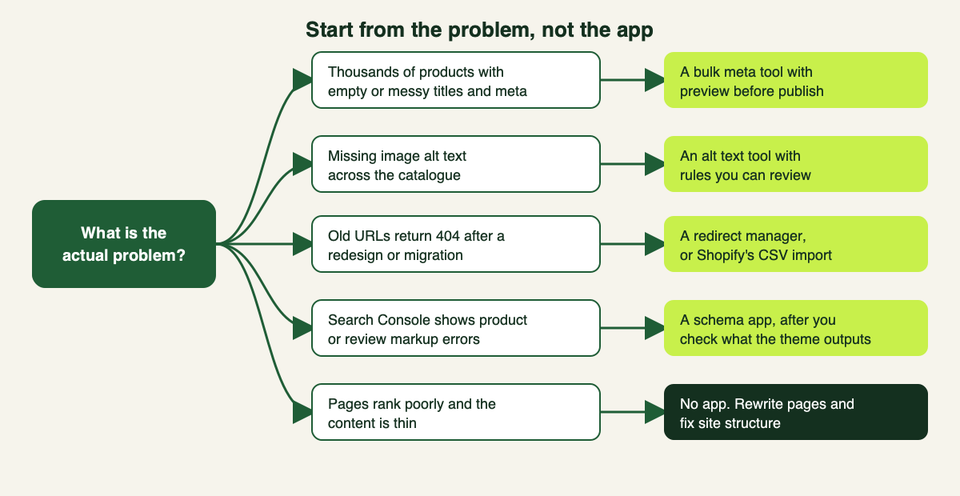
- Write down the problem first. "Do SEO" is not a problem. "400 products have blank meta descriptions" is.
- Check what you already have. View the page source of a product page. Look for the title, meta description, canonical link and JSON-LD. Then look at the reports in Google Search Console. You may find the basics are in place.
- Pick one app for one job. Two all-in-one apps will often write the same tags and fight each other.
- Test on a duplicate theme. Apps can edit theme files. Preview the copy, compare the page source before and after, then publish.
- Plan the uninstall. Ask before you install how the app removes its code. After you remove any app, view the page source again.
- Review everything AI writes. Drafts are a starting point. Bulk publishing unchecked text creates thin, repetitive pages.
What no app can fix
Google's own guidance on helpful content asks whether a page gives original information or analysis and whether it adds real value compared with other pages in the results (helpful content guide). No plugin supplies that. In practice:
- Weak product pages. A manufacturer's description pasted onto your page is not a ranking asset. Better photos, sizing help, real answers to buyer questions and honest comparisons are.
- Poor structure. If collections overlap, filters create hundreds of near-duplicate URLs, or key pages are not linked from anywhere, an app can only report the symptoms. Google says the same: make content easy to find through internal links.
- No reason to link to you. Links and mentions come from being worth citing.
- Slow pages. An app that adds scripts may cost more speed than its tags gain. See our theme performance guide.
- Wrong intent. Ranking for a term that does not match what you sell brings visitors who do not buy.
If a store has all of those problems at once, an SEO audit by a person pays back faster than another app. That is work our team does, and you can get in touch if you want a second pair of eyes. Even so, try the free checks above first.
AI search visibility: what the sources we opened say
Many app listings now sell "AEO" or "GEO", often with an llms.txtfile. Here is what the primary sources say, all.
- Google. Its page on AI features says the SEO best practices still apply to AI Overviews and AI Mode, with no extra requirements and no special optimisation. It says you do not need new machine-readable files, AI text files or markup, and no special schema.org markup. To be a supporting link, a page must be indexed and eligible to show with a snippet. Its practical list includes allowing crawling in robots.txt, linking pages internally, keeping important content in text, and making sure structured data matches the visible text (AI features and your website).
- OpenAI. Its crawler documentation says OAI-SearchBot is used to surface sites in ChatGPT's search features, and that sites that opt out will not appear in ChatGPT search answers, though they may still appear as links. GPTBot is a separate setting for training use. Each is controlled with robots.txt, and search changes can take about 24 hours to apply (OpenAI crawlers). The only
llms.txtmention we saw on that page was for OpenAI's own documentation index.
What this means for a Shopify store:
- Check your live
/robots.txt. If you or an app editedrobots.txt.liquid, make sure you did not block the search crawlers you want. - Keep structured data accurate. Schema that says something the page does not show is a risk, not a boost.
- Treat
llms.txtas optional. We did not find a statement from either company above that depends on it. If an app generates one for free, it is harmless, but it is not a reason to pay. - Do the content work. The same helpful, specific pages that suit Google suit assistants that quote pages.
FAQ
Do I need an SEO app on Shopify?
Often no. Shopify outputs titles, meta descriptions, canonical tags, a default robots.txt and hreflang for Markets. Add an app only for a specific gap such as bulk edits, redirects or extra schema.
Which SEO app should I start with?
Start with the problem. For bulk meta and alt text, pick one all-round app with a preview step. For a migration, pick a redirect manager. For markup errors, fix the theme or use a schema app after you check what is already output.
Can I use more than one SEO app?
You can, but avoid overlap. Two apps that both write meta tags, schema or redirects can create duplicate or conflicting output. Give each app one job.
Will an SEO app make my store rank higher?
Not by itself. Apps help you do technical and bulk tasks faster. Rankings depend on content quality, structure, links and many other things. Google says there are no secrets that automatically rank a site first.
Are the free plans enough?
For a small store, often yes, but limits differ by app and change. Several free plans cap products, images or advanced rules. Read the current listing.
Is schema or JSON-LD worth adding?
Product data can make your listings eligible for richer results such as price and availability, and Google also says structured data must match the visible page. Check what your theme already outputs before adding an app.
What about llms.txt?
Several apps generate one. Google says no special files are needed for its AI features, and OpenAI's crawler page describes robots.txt controls. Treat it as low cost and unproven.
Is it safe to install SEO apps that edit my theme?
It can be, if you test first. Use a duplicate theme, compare the page source before and after, and confirm how the app cleans up when you uninstall it.
What should I do after changing URLs?
Set up redirects from each old URL to the closest new page, then check Search Console for new 404s. Shopify can import redirects from a CSV, and the apps above can find missed ones.